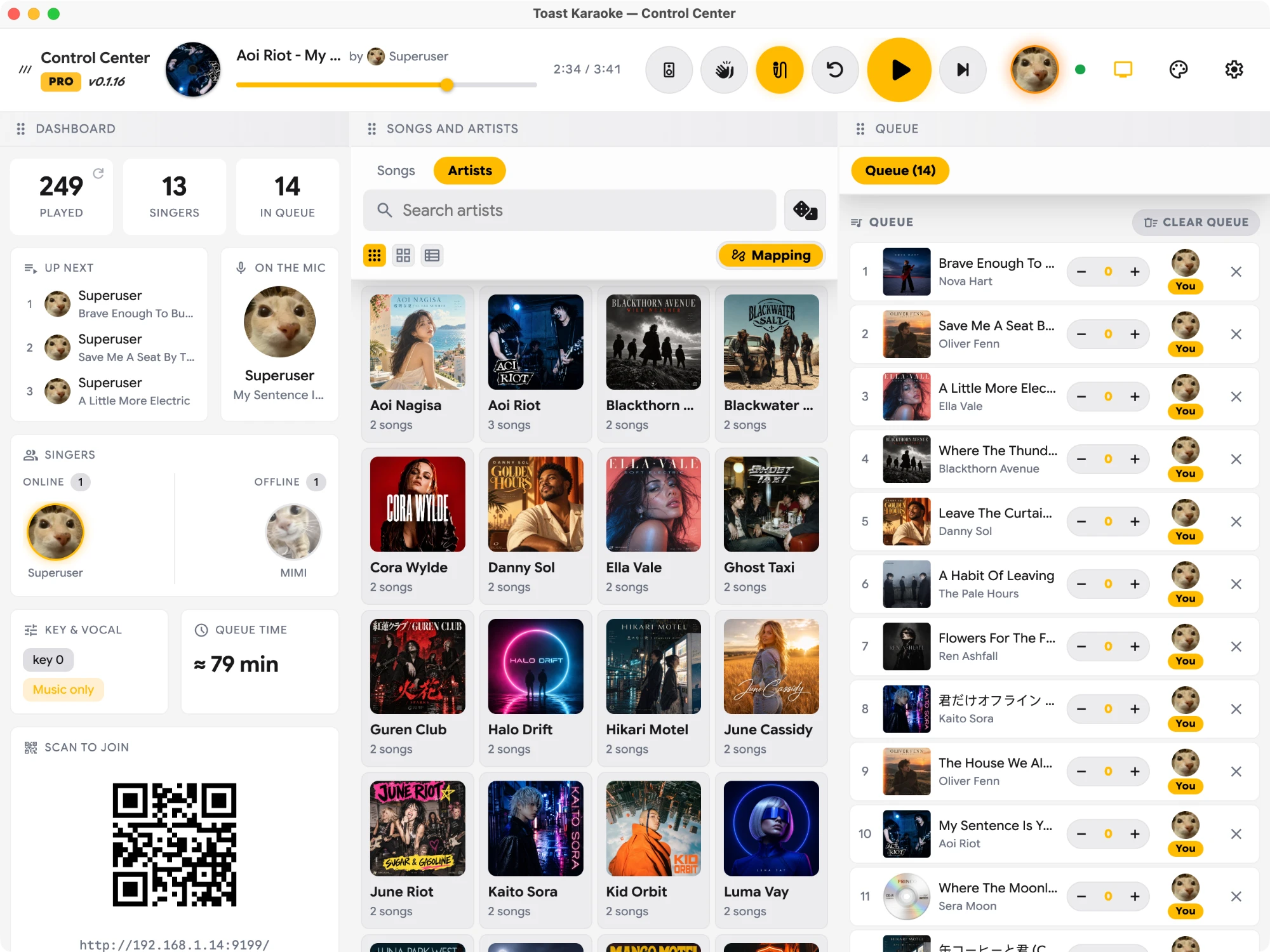
Self-hosted · Your files or YouTube · Runs on your machine

A modern karaoke player.

Hand the room a QR code and everyone queues from their own phone, no app needed. Play your karaoke videos on the big screen, drop the guide vocal, change the key, and Toast remembers it for each singer. Missing a song? Find it on YouTube.

3-day free trial · No credit card required · macOS & Windows · your library stays on your machine
Toast Karaoke — Stage Player
Karaoke · vocal off
Key +2
Crimson Horizon
NOVA HART
MMos
1:24
3:45
Up next · 5 in queue
1
Afterglow
LUMA VAY
EEthan
×
2
Morning Sun
MILO RUNE
RRiley
×
3
Lost // Signal
NEON STATIC
KKato
×
4
Last Train in the Rain
VELVET EXIT
AAlex
×
5
Gravity Is Optional
KID ORBIT
GGuest
×
Your files — MP4, MKV & more YouTube search Own your library Plays on your network Runs on your machine
Everything a karaoke night needs

A real venue rig, minus the setup.

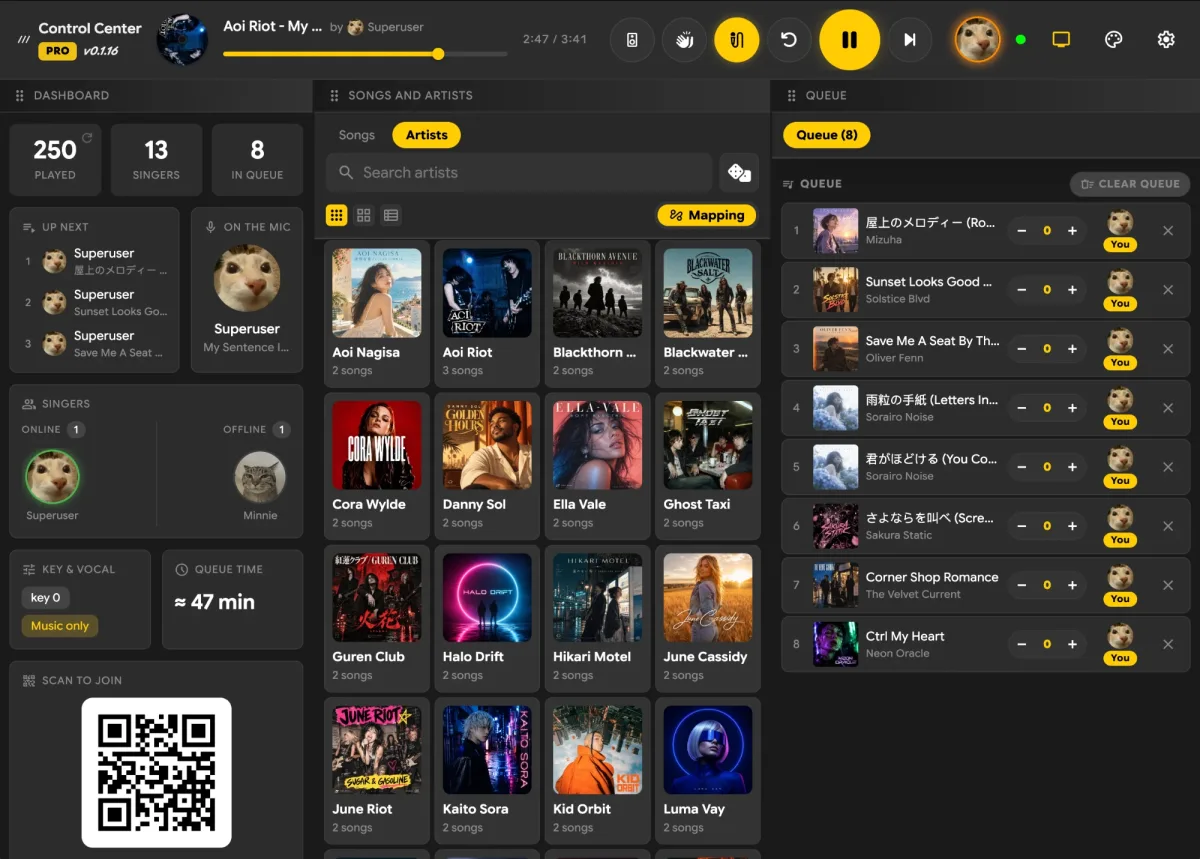
Toast is a proper video player built for karaoke — a full-screen stage on the TV and a control center on the side, working together the way a KTV box does.

video_file

Plays your own videos

Just select your karaoke video folder and hit play. Lyrics must be burned into the video itself — separate lyric files aren't supported.

✓ Video: MP4, MKV, WEBM, MOV, AVI
✓ Audio: MP3, FLAC, WAV, M4A, AAC

MIDI and CD+G karaoke not supported.

smart_display

Search YouTube too

Missing a song? Just keep typing its name and press ⏎ Enter to search YouTube, then queue it like any other. Free on every plan, for personal use, nothing to set up (how it works).

Key and vocal controls not available.

voice_selection

Drop the guide vocal

Turn the guide vocal on or off in one tap. Old-school tracks with music and vocals on separate channels? Switch left, right or stereo.

✓ Vocal On / Off: dual audio tracks required→ Track 1: Instrumental→ Track 2: Guide Vocal✓ Left / Right / Stereo

Not available for YouTube songs.

music_note_add

Change the key

Raise or lower the key to fit your range — live, mid-song, without stopping the video.

Not available for YouTube songs.

computer
desktop_windows

Multi-monitor

Fills your external screen automatically, or pick a display yourself. Press M to bounce the Stage Player to the next monitor.

mobile_cast

Phone remote

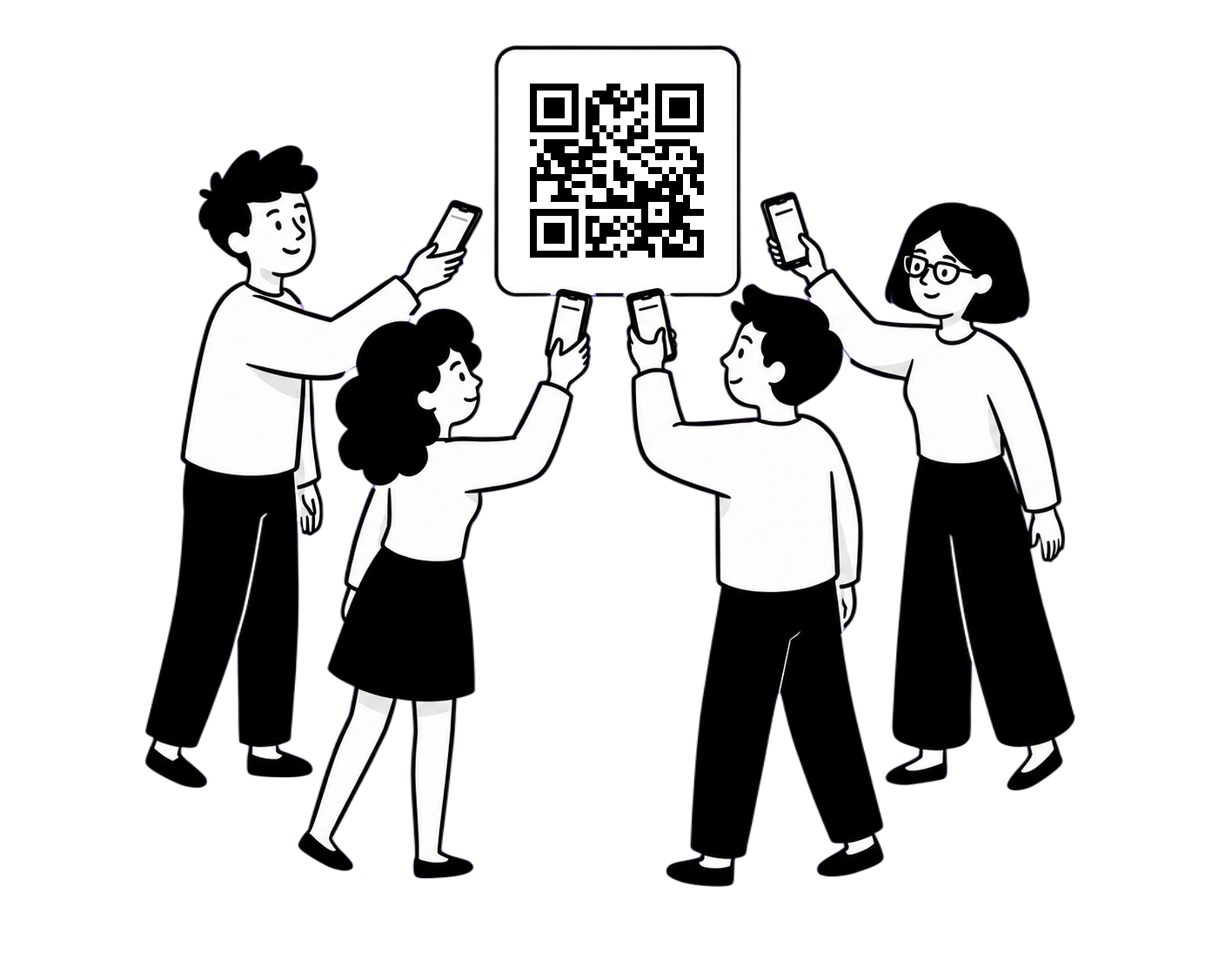
Everyone scans a QR code and adds songs to one shared queue from their own phone — no app to install.

library_music

Instant library

Just pick your karaoke folder — subfolders included — and Toast is ready to serve. Messy filenames or split artist profiles? Easily rename songs, add artist artwork, and map every spelling of an artist to one clean page — search finds them as you type.

✓ Recommended file name: Artist - Titlee.g. Rosé feat. Bruno Mars - APT.

celebration

Sound FX board

Applause, air horns, drum stings — fire them off instantly from any phone in the room. Drop your sound effects in Documents/Toast Karaoke/sound-effects.

✓ Supported files: MP3, WAV, M4A, AAC

No sound effects included.
Not available in the free version.

tv_gen

Classic TV mode

Scanlines, vignette, screen curvature, VCR noise — dial in a retro CRT look for the full old-school KTV vibe. Press C to turn it on or off.

Not available for YouTube songs.
Made for singing, not just playback

Every knob a karaoke box has.

Toast works with the audio tracks and channels inside your files, so you can drop the guide vocal, pick a channel, and bend the key to whoever's holding the mic.

  • Guide vocal on/off for multi-audio-track files
  • Audio channel — left, right or stereo
  • Key up, down, and reset
  • Pre-tune the key of any song waiting in the queue
  • Skip intro to a spot you set

Guide vocal, channel, key and pre-tune not available for YouTube songs.

Audio controls
Guide vocal
OnOff
Channel
LStereoR
Key
−+2+
Skip intro
−8s+
Ready before the intro

Perfect key from the start.

No more starting in the wrong key. Set the right key before the song starts, and Toast remembers it for that singer next time.

  • Pre-tune: −6 to +6 pitch control
  • Instant playback: Plays in your key immediately
  • Key Memory: Automatically loads your last saved key
  • Per-singer memory: Saved per song, per singer

Not available for YouTube songs.

Pre-tune
The regulars

Everyone gets a Personal Songbook.

Toast keeps a Personal Songbook for every singer: the songs they sing to the end most often, the favourites you pin for them, and the key they like each one in. It's still there after they go home — next time, queue their whole set in one tap.

  • Songs they finish most rise to the top — skips don't count
  • Pin favourites from the Control Center — or singers pin their own from their phone
  • Add all to queue — their set, in their name
  • Their remembered key rides along on every song
  • Still there after they leave, until you remove them
Personal Songbook
Fair turns

No one hogs the mic.

When one guest queues five songs in a row, everyone else waits. Smart Rotation takes turns between singers instead — switch it on and the queue sorts itself as songs come in.

  • Rounds: everyone sings once a round, however many join
  • Balanced: two in a row, passed to everyone in turn
  • Strict: a new singer every song
  • Newcomers start at the end of the round
  • Play next and songs you drag stay put
  • Off by default — songs play in the order they were added
Smart Rotation
Built for the big screen

TV in front, controls in your hand.

Send the full-screen Stage Player to the TV or projector and keep the control center on your laptop. Toast finds the external screen on its own, and one key moves it anywhere.

  • Auto external-screen-first, or choose a display
  • Cycle monitors with the M key
  • Kiosk mode — clean full-screen Stage Player
  • Ambient backgrounds loop on the idle screen
  • Song-info overlay you can toggle on the TV
Stage Player display
Full-screen Stage Player on the TV
TV — Stage Player
Control Center on a laptop or tablet
Laptop / Tablet — Control
The remote is the party

Everyone's phone runs the queue.

One QR code turns every guest's phone into a remote — no app, no sign-up. The host keeps the keys; the room keeps the momentum.

  • Guests search and add songs to one shared queue
  • See who's connected and who's on the mic, live
  • Profiles with photos, plus superuser / guest roles
  • Host-only lock, or open the controls to everyone
  • Runs on your local network — requests stay in the room
Scan to join Guests scanning a QR code to join the queue
Make it yours

Five themes, one tap away.

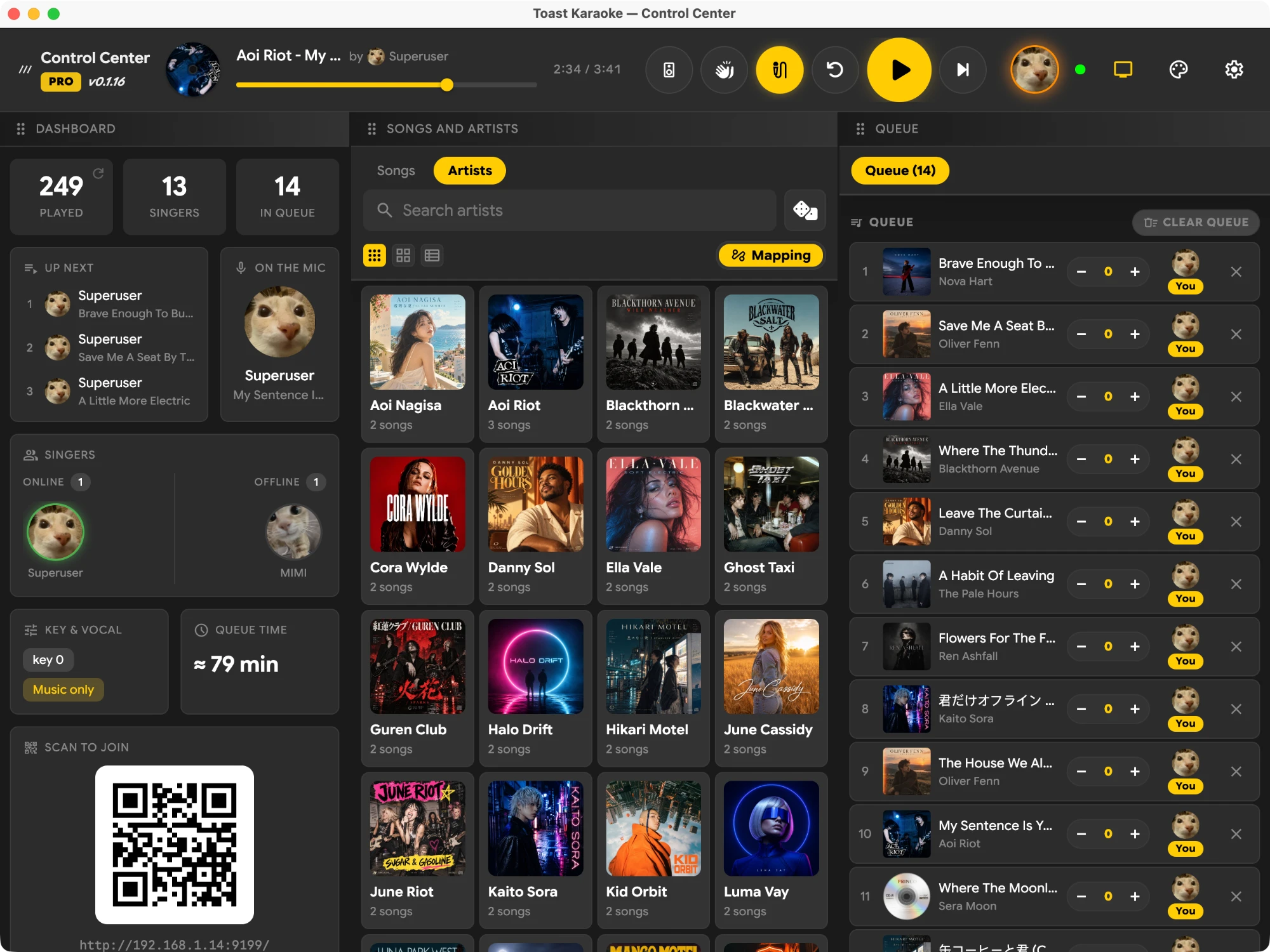
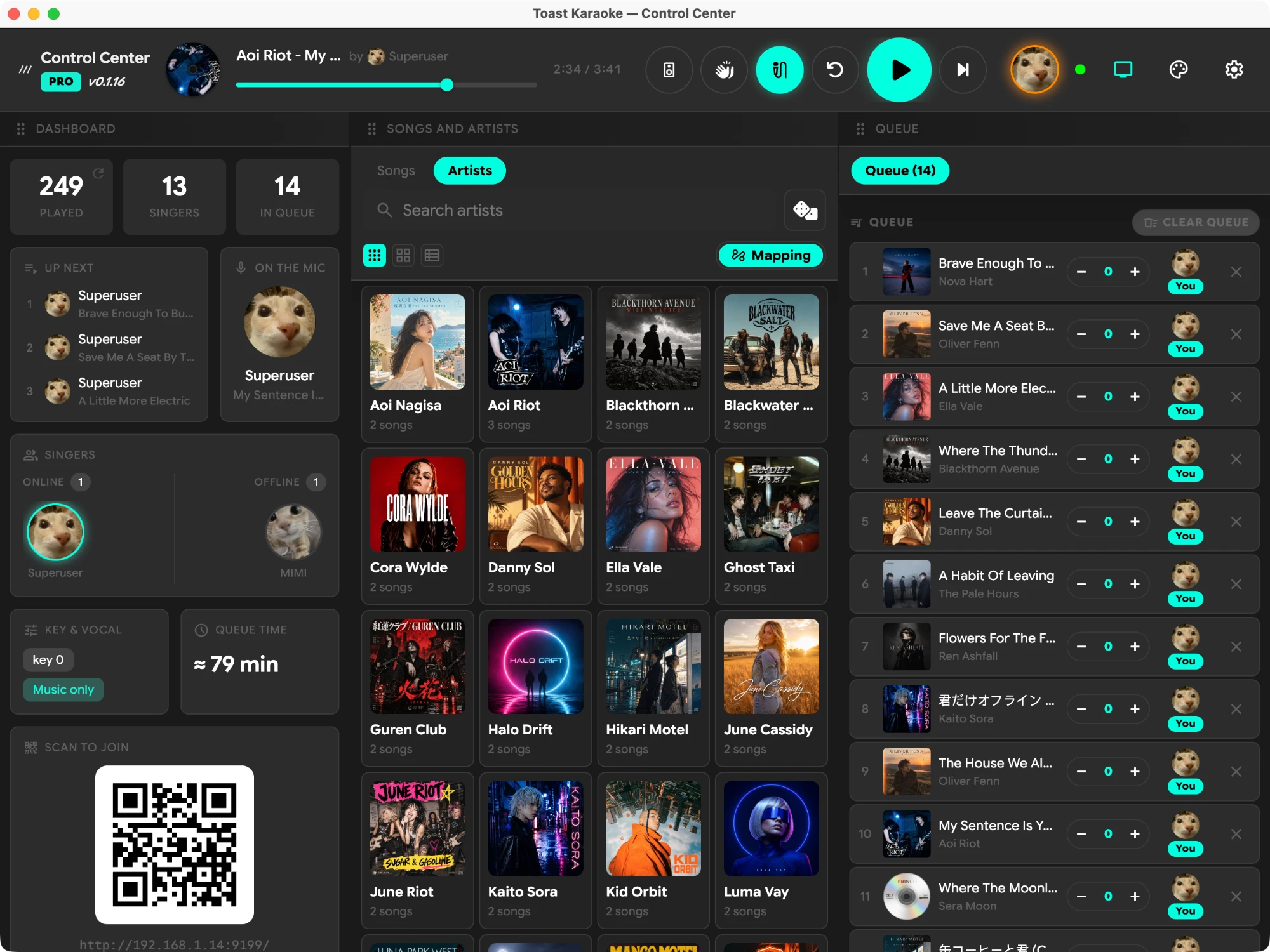
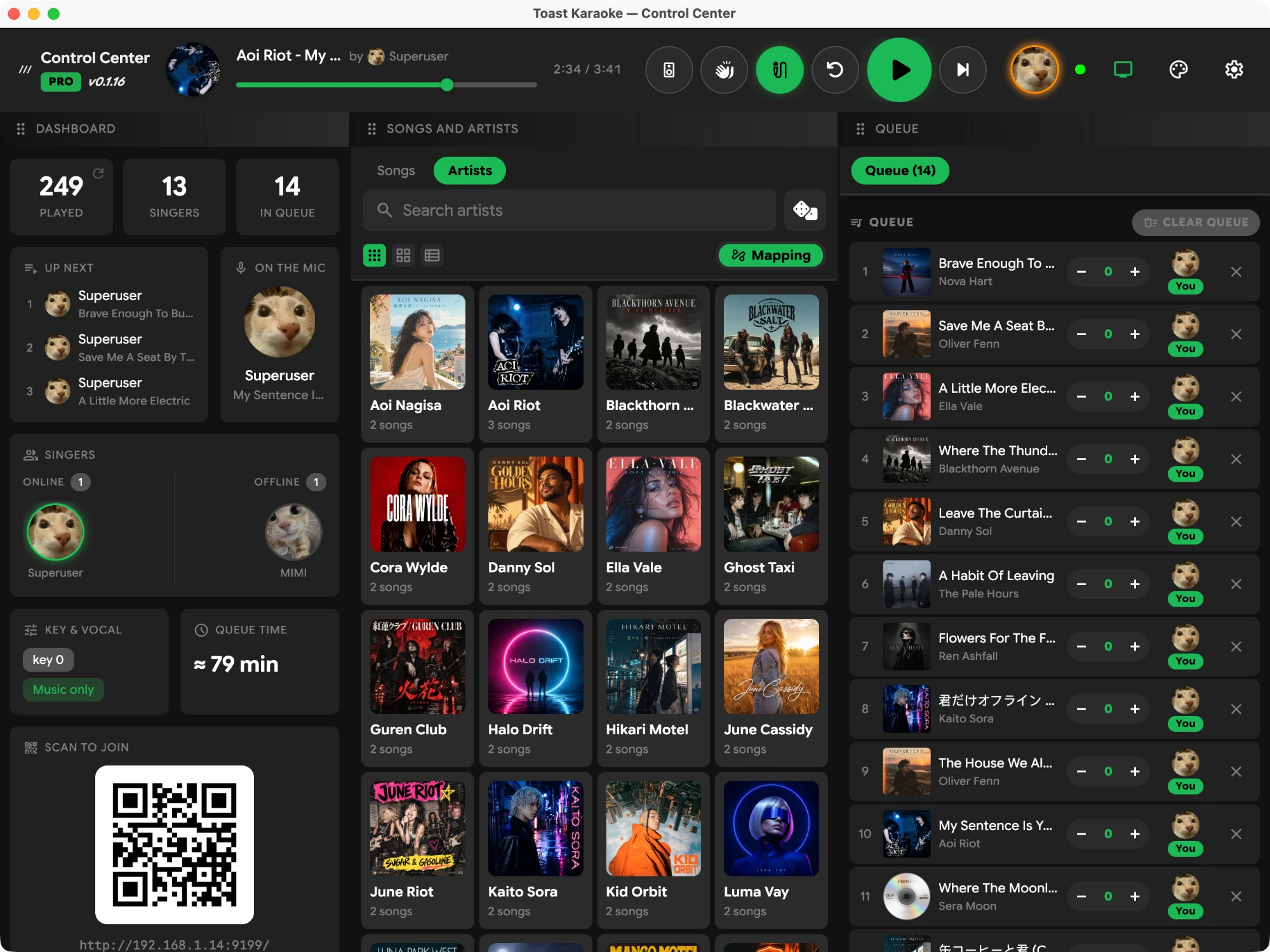
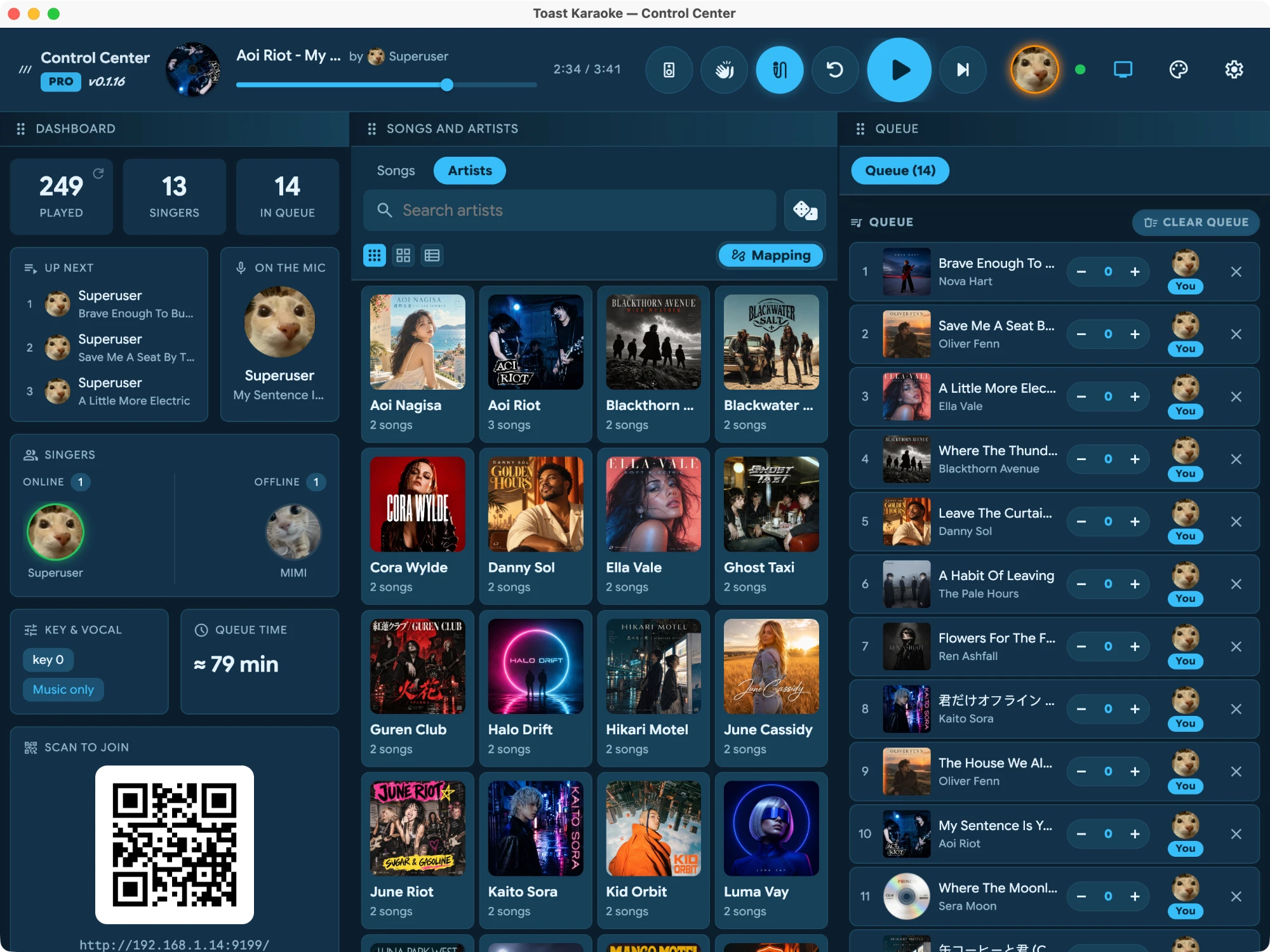
Light, ocean, and three dark moods — switch the whole Stage Player and control center in a tap, or build your own in the theme editor.

Dark Yellow theme Dark Mint theme Dark Green theme Ocean theme Light theme
The full list

Everything in the box.

The trial and every paid plan unlock all of it — no add-ons to buy.

Playback

  • Plays your own karaoke video files
  • Search & play YouTube videos — free on every plan
  • Full-screen Stage Player + control center
  • Play / pause · restart · next
  • Skip intro to a configurable point
  • Random / shuffle songs
  • Ambient looping backgrounds when idle
  • Song-info overlay you can toggle

Audio · not for YouTube songs

  • Guide-vocal on/off (multi-audio-track files)
  • Audio channel: left / right / stereo
  • Key up, down & reset
  • Pre-tune — set a queued song's key before it plays
  • Key Memory — every singer's key, remembered per song
  • Sound-effects board — bring your own

Library

  • Point at a music folder & scan
  • Auto artist / title detection
  • Add artist artwork & photos
  • Rename songs & artists
  • Map & merge artist names
  • Split out featuring artists
  • Fast search as you type
  • Rescan any time

The room & remote

  • QR phone remote — no app install
  • One shared queue, add & play-next
  • Smart Rotation — singers take turns (Balanced or Strict)
  • Live roster & presence · who's on the mic
  • User profiles with photos
  • Personal Songbook — most-sung songs, pinned favourites, one-tap queue
  • Superuser / guest roles + PIN
  • Open controls to all, or host-only

Display & look

  • Multi-monitor, auto external-first
  • Cycle displays with the M key
  • Kiosk / full-screen mode
  • Classic TV: scanlines, vignette, curvature, VCR noise, shake, blur, OSD · not for YouTube songs
  • Themes: dark yellow · dark mint · dark green · ocean · light
  • Built-in theme editor

System

  • Rebindable keyboard shortcuts + in-app guide
  • Self-hosted — library & playback stay local
  • The room runs over your local network
  • Multi-language (English · ไทย · 日本語 · 中文)
  • Plugin framework to extend it
  • Desktop app for macOS & Windows
Pricing

Ready for the Party Night?

Pay once for supported-lifetime access — or pay as you go. All yours.

Same full app on every paid plan — the only thing that changes is how long it runs.

✦ Free 3-day trial · no card required
7-Day Pass
฿199
one time

For a one-off party or a single big night. The 7 days start when you activate, so you can buy ahead. No renewal. Refundable within 14 days while the key is still unactivated.

Get 7-day pass
Monthly
฿349
per month

Casual weeknights and weekend get-togethers. Renews monthly until you cancel.

Start monthly
Best value
Yearly
฿1,990
per year

About six months free versus paying monthly — the one most people pick. Renews yearly until you cancel.

Get yearly
Lifetime
฿6,990
one time

Pay once. Remember five of your devices, use one at a time, and get every future update.

Buy lifetime

Every paid plan unlocks the full app. Your licence can remember five of your devices and move its one active device between them; the 7-day Pass is limited to one device.
After the trial, Toast keeps running as a free version: a queue of up to 5 songs, one idle background and one custom theme. Sound FX, skip intro, seeking, pre-tune, smart rotation, singer playlists and key memory need a trial or a paid plan. YouTube search and playback are free in every version — paid plans never charge for YouTube.
Prices are shown in your currency and include VAT / sales tax where applicable.
Subscriptions renew automatically; cancel anytime and keep access until the end of the paid period. 14-day money-back guarantee on the first payment of every plan (for the 7-day Pass, while its key is unactivated) — see refunds.
Payments are processed by Paddle, our merchant of record. By purchasing you agree to our Terms and EULA.

Ready when you are

Start the night.

Download Toast, point it at your karaoke folder (or just search YouTube), and hand the room a QR code.

3-day free trial · No credit card required · self-hosted · macOS 12+ · Windows 10+
Windows may show a blue "Windows protected your PC" (SmartScreen) screen because the installer is new and not yet code-signed. Click More info → Run anyway.

Lost your licence key?

Enter the email you used to buy. We'll send the key again to that address only.